
Making a keepsake
How to turn a written memory into a 3D keepsake
A practical guide to creating a personal 3D keepsake in MemoFigure: choose a moment, write it in your own words, optionally add a photo, and revisit the result.
You can create a personal 3D keepsake from a written memory without starting with a photograph or learning to model in 3D. In MemoFigure for iPhone, you describe a moment, optionally add photos, and let the app create a keepsake you can rotate, explore, and save in your collection.
The result is an AI-generated interpretation of your words. Think of it as a small creative object inspired by a story, rather than an exact reconstruction of a place or person.
1. Choose one moment you want to keep
A focused scene is an easier starting point than your entire life story. Try an evening with a friend, a place you miss, a dream you wrote down, or a quiet moment with your pet. An imagined scene or a wish can also be a starting point.
Ask yourself what you want to recognize when you open the keepsake later. It could be the setting, a shared activity, or an object that makes the moment yours.
2. Write it as you would tell a friend
You do not need technical modeling instructions. Describe what happened and include the few details that matter most. A useful starting point is:
- Where were you, and who or what was there?
- What were you doing?
- Which object or detail stands out?
- What feeling do you associate with the moment?
Illustrative writing example
After class, my roommate and I sat by the window in our apartment, eating noodles from mismatched bowls. It was snowing outside, and a small yellow lamp was the only light on. It was an ordinary evening, but it felt like home.
A sample description for inspiration, not a customer story or a promise of a particular output.
Use details you remember. There is no need to make the story sound more dramatic or fill it with visual effects. If a detail is essential, say so plainly, while remembering that generated results can vary.
3. Add a photo only if it helps
Photos are optional. You can create with words alone, which is useful for a dream, an older memory, or a moment you never photographed. If you have a photo that adds helpful visual context, include it with your description.
Choose what you are comfortable sharing. A generated keepsake should not be treated as a precise scan, likeness, or factual record of everyone and everything in the photo.
4. Create the keepsake and explore the result
Start the creation in MemoFigure and follow its progress. Generation requires an internet connection, and the time can vary with the model and service conditions.
Once it is ready, open it in your collection. Rotate and zoom the model, look at the details, and revisit the original memory behind it. You may find that the result emphasizes a different part of the scene than you expected.
5. Keep related moments together
A keepsake can be the start of a series. Use the app’s continuation options to choose where the story goes next and create related keepsakes connected to the original.
For example, a memory of arriving somewhere could lead you to another meaningful moment from that time. You can also keep a single creation on its own; building a series is optional.
A real creation: Sunlit Song Studio
One creation featured on our homepage began with the wish to have a music studio and write songs every day. The resulting keepsake, Sunlit Song Studio, brings together a songwriter, instruments, and a small music workspace.
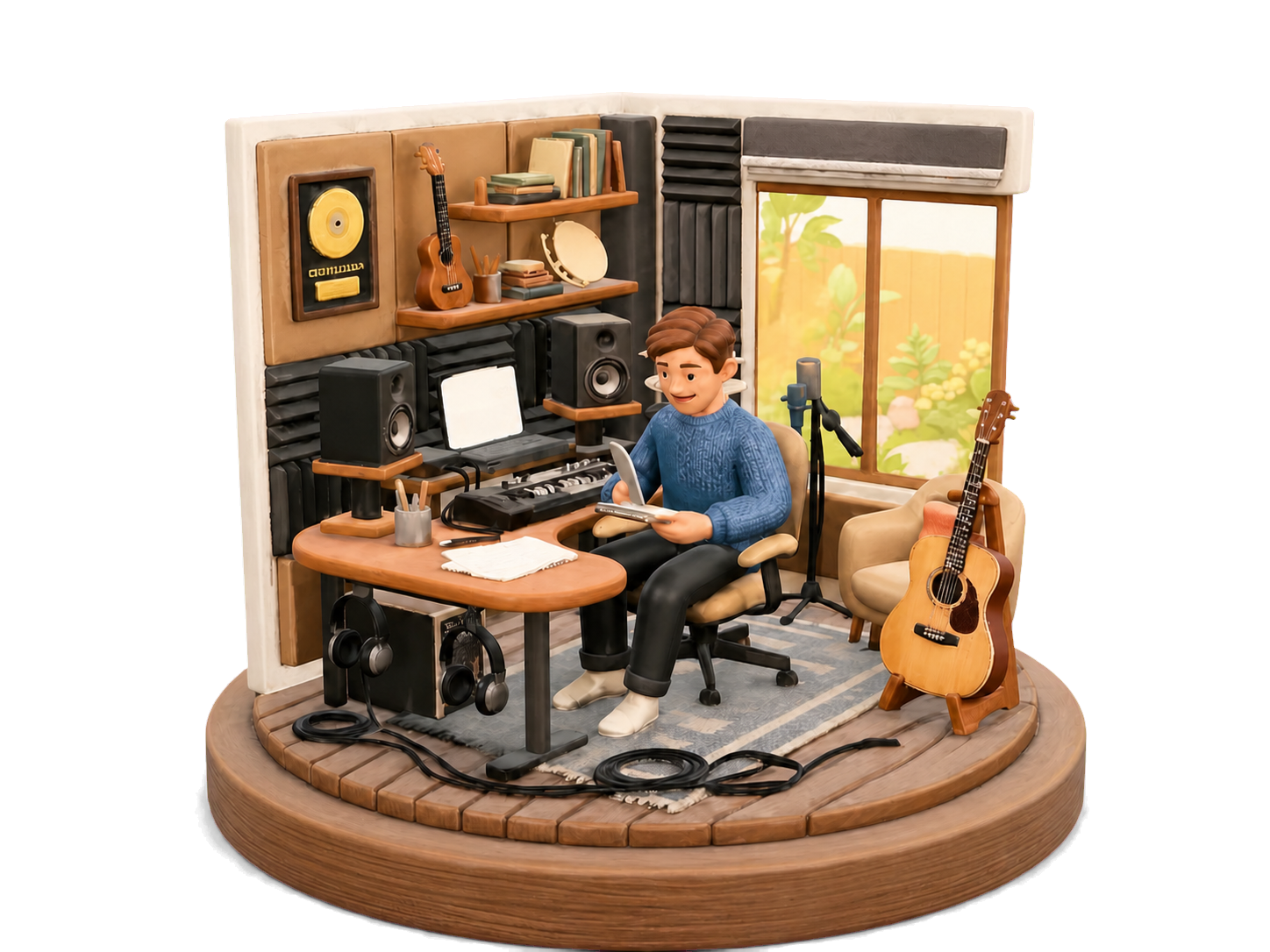
The point is the connection between the words and the object. Start with something meaningful to you, then see how the app expresses it.
What to expect before you start
Do I need 3D design experience?
No. The creation flow starts with your description and optional photos. You do not need to build a mesh or write a technical prompt.
Will it reproduce the memory exactly?
No. AI-generated shapes, composition, and details may differ from what you imagined. Keep your original words and photos if you need an accurate record.
Is creation free?
Check the current offer in the app before creating. Some features and additional generations require an in-app purchase or subscription. The help page and membership terms explain the available options.
Is this a physical 3D-printed product?
This guide covers a digital keepsake in MemoFigure. Making a physical print is a separate process and may require model preparation and access to a suitable printer.
If you are still choosing which memory to start with, try these ways to preserve a trip beyond photos.